When building a product that has a React admin panel, a React client app, and a .NET API all living in the same repository, you quickly run into a coordination problem: how do you start all three together, wire up the right ports, inject connection strings, and keep local dev fast?
We solved this with .NET Aspire, a cloud-ready stack from Microsoft designed exactly for multi-project orchestration.
Repository structure
Our monorepo has three top-level folders:
1  admin/      ← Vite + React (internal backoffice)
2  client/     ← Vite + React (public-facing app)
3  api/        ← ASP.NET Core Web API
Without a coordinator, each developer has to remember to start three processes, set environment variables by hand, and hope the ports don't collide.
Why Aspire?
Aspire adds two thin projects to the solution — an AppHost that describes the whole system, and a ServiceDefaults that wires up telemetry, health checks, and resilience defaults. The AppHost is pure C# code, but its job is orchestration, not business logic:
1var builder = DistributedApplication.CreateBuilder(args);
2
3var api = builder.AddProject<Projects.Api>("api");
4
5builder.AddNpmApp("admin", "../admin")
6       .WithReference(api)
7       .WithHttpEndpoint(port: 5174, env: "PORT");
8
9builder.AddNpmApp("client", "../client")
10       .WithReference(api)
11       .WithHttpEndpoint(port: 5173, env: "PORT");
12
13builder.Build().Run();
One aspire run in the AppHost directory starts all three projects. Aspire injects the API base URL into both front-end processes automatically through environment variables — no .env files to maintain per machine.
Built-in dashboard
Aspire ships a local developer dashboard at http://localhost:15888. It shows every running resource, its stdout logs, structured traces across the HTTP calls between the front ends and the API, and a metrics view. Debugging a slow endpoint no longer means grepping three terminal windows.
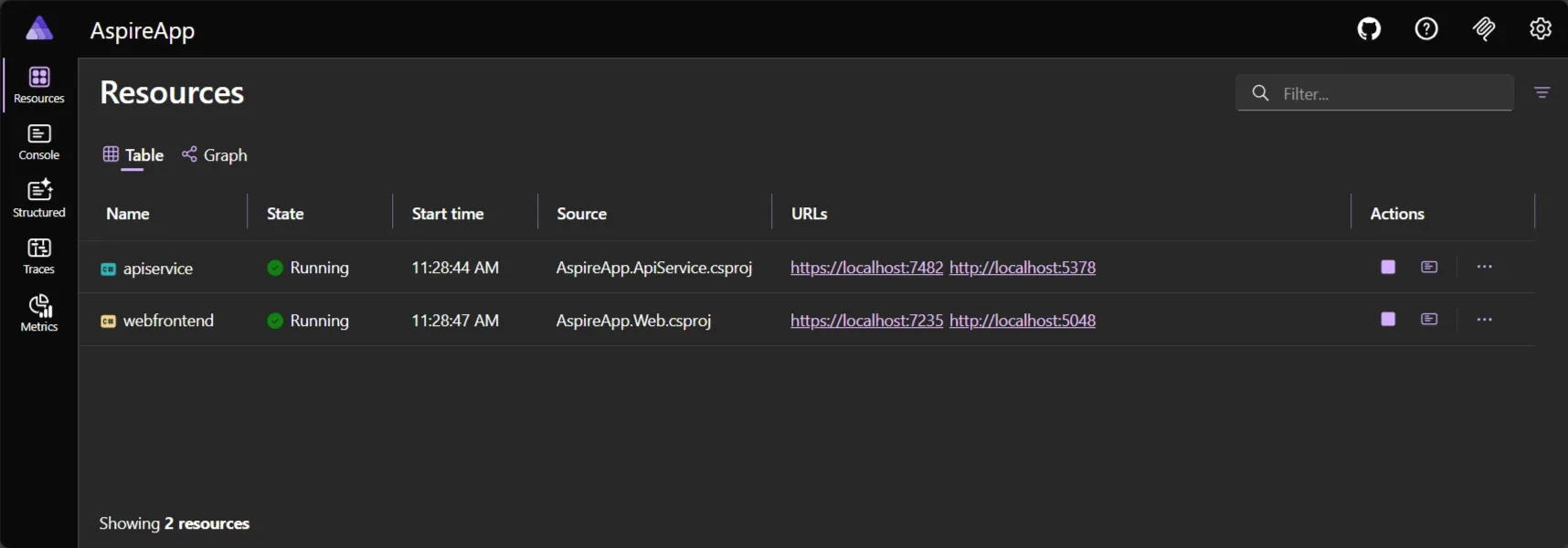
Aspire dashboard
Service discovery without configuration
The .WithReference(api) call in the AppHost does more than pass a URL — it registers the API as a named service. On the .NET side, the HTTP client factory resolves https+http://api to the correct address at runtime. In production you swap the Aspire orchestrator for a real service registry (Azure Container Apps, Kubernetes) and the application code stays unchanged.
Trade-offs
Aspire is opinionated about the .NET toolchain. The AppHost project requires the .NET 8+ SDK, so JavaScript-only contributors need to install it even if they never touch the API. For teams already on .NET this is a non-issue; for pure front-end teams it adds a small onboarding step.
The tooling is also still maturing — some IDE features (like hot-reload across all three projects simultaneously) work best in Visual Studio and are patchier in Rider or VS Code.
Conclusion
For a monorepo with two React apps and one .NET API, Aspire eliminated the "which three terminals do I open?" problem, gave us free distributed tracing locally, and made service URLs configuration-free. If your stack includes at least one .NET project, it is worth the fifteen-minute setup cost.